Claude Dispatch, OpenClaw, and Perplexity Computer: The AI Desktop Agent War Has Begun
Three AI desktop agents are competing to control your computer in 2026. Claude Dispatch offers safe simplicity for $20/mo. OpenClaw gives full open-source freedom for free. Perplexity Computer orchestrates 19+ models for $200/mo. Here's how they compare — and 7 ways solopreneurs can use them today.

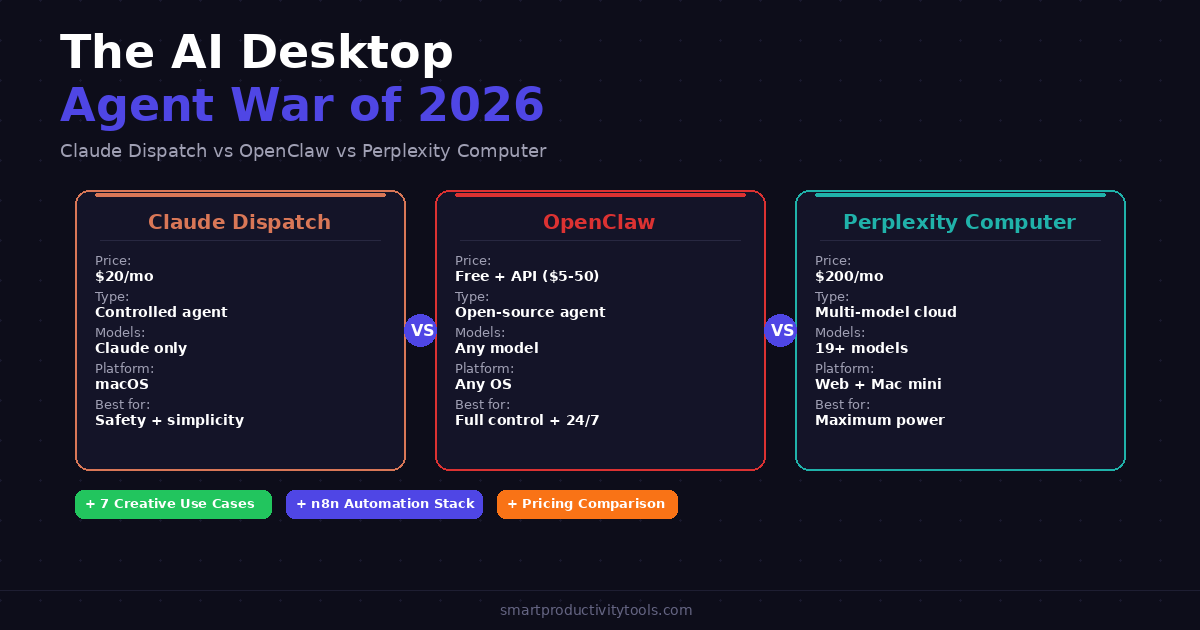
In March 2026, three fundamentally different approaches to "AI that controls your computer" are competing for your attention — and your subscription dollars. Claude's Dispatch + Computer Use, OpenClaw, and Perplexity Computer all promise the same dream: an AI assistant that doesn't just answer questions, but actually does your work by clicking, typing, and navigating your software.
But they're wildly different under the hood. One is a polished, controlled experience from Anthropic. One is an open-source phenomenon with 195,000+ GitHub stars. And one orchestrates 19+ AI models in the cloud for $200/month.
This guide breaks down exactly how each works, what they cost, who they're for, and — most importantly — 7 creative ways solopreneurs can use them today.
New to AI-powered automation? Start with our Best Free AI Tools for Solopreneurs guide to see how these tools fit into the bigger picture.
TL;DR — Quick Comparison
| Feature | Claude Dispatch | OpenClaw | Perplexity Computer |
|---|---|---|---|
| Type | Desktop AI agent | Self-hosted AI agent framework | Cloud-based multi-model agent |
| Price | $20/mo (Pro) or $100/mo (Max) | Free (open-source) + API costs ($5–50/mo) | $200/mo (Perplexity Max) |
| Setup | Download app, 5 min | Self-host, 30–60 min | Web-based, instant |
| Platform | macOS only | Any OS (Mac, Windows, Linux, Raspberry Pi) | Web + Mac mini (Personal Computer) |
| AI Model | Claude (Anthropic) | Any (Claude, GPT, DeepSeek, local models) | 19+ models (Opus 4.6, Gemini, Grok, GPT-5.2, etc.) |
| Controls your screen | ✅ Mouse + keyboard | ✅ Browser + terminal + files | ✅ Cloud sandbox + local (Personal Computer) |
| Phone access | ✅ Dispatch from mobile | ✅ WhatsApp, Telegram, Discord, Signal | ⚠️ Web only (no mobile app) |
| Open source | ❌ | ✅ MIT license | ❌ |
| Self-hosted | ❌ | ✅ Your hardware | ❌ (cloud) / ✅ (Personal Computer on Mac mini) |
| Always-on | ⚠️ Desktop must be awake | ✅ 24/7 with server/Mac mini | ✅ Cloud runs indefinitely |
| Safety controls | Permission prompts, kill switch | Minimal — user responsibility | Audit trail, user approval, kill switch |
| Best for | Mac users wanting controlled AI assistant | Developers wanting full customization | Professionals needing multi-model power |
Claude Dispatch + Computer Use: The Controlled Experience
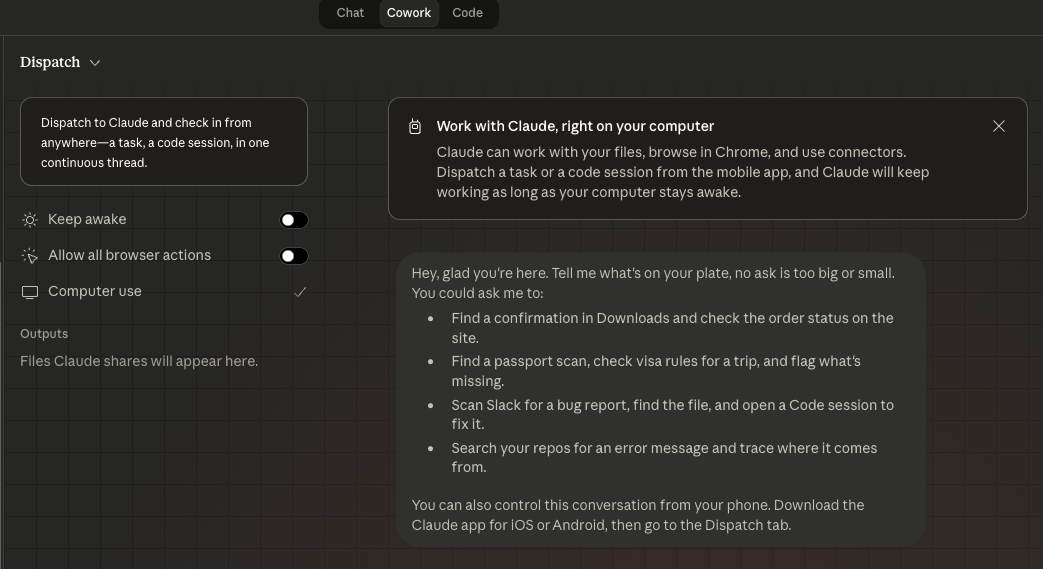
On March 23, 2026, Anthropic announced that Claude can now physically control your computer — clicking, scrolling, opening apps, and completing tasks — through Claude Cowork and Claude Code. Combined with Dispatch, you can assign tasks from your phone and Claude executes them on your desktop.
How It Works
When Claude doesn't have a built-in connector for a tool, it takes over your mouse and keyboard to navigate the software directly. It can open files, use browsers, run dev tools, and fill out forms — asking for your explicit permission before accessing each new application.
Dispatch creates a single persistent conversation between your phone and desktop. Message Claude from the train, and it works on your desktop while you commute. Come back to finished work.
Key Details
- Available for: Claude Pro ($20/mo) and Max ($100/mo) subscribers
- Platform: macOS only (for now)
- Requirement: Desktop app must be open and awake
- Safety: Permission prompts for new apps, built-in prompt injection scanning, kill switch
- Thread: One continuous conversation across phone and desktop
Strengths
- Easiest to set up — download the app and start within minutes
- Strongest safety model — Anthropic scans for prompt injection, requires explicit permission
- Best writing and reasoning quality — Claude's models are top-tier for text and code
- Phone-to-desktop workflow — Dispatch is the smoothest mobile-to-desktop experience
Limitations
- macOS only — no Windows or Linux support
- Desktop must be awake — can't run tasks while your Mac is sleeping
- Single AI model — only Claude (no model choice or routing)
- No proactive actions — Claude only works when you ask, never initiates
- No scheduled tasks in Dispatch (managed separately in Cowork)
- Research preview — can make mistakes on complex visual tasks
OpenClaw: The Open-Source Powerhouse
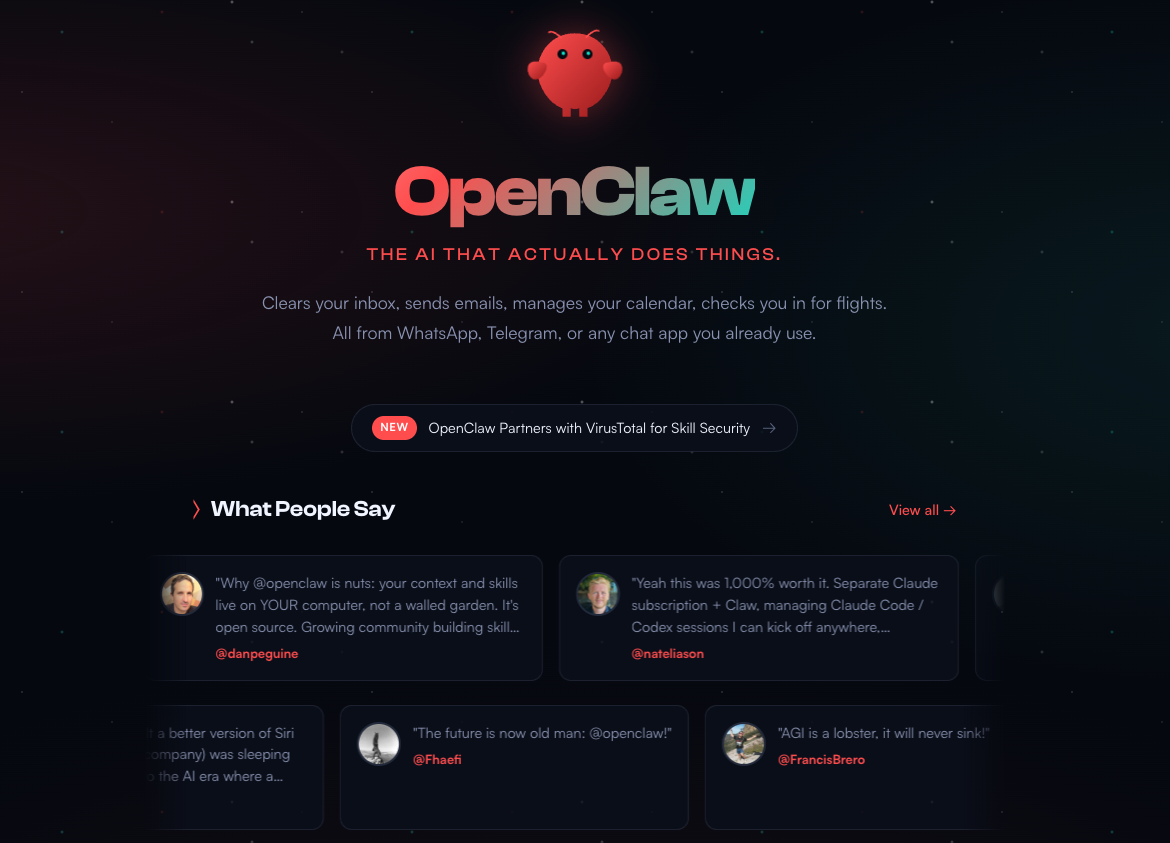
OpenClaw (formerly Clawdbot/Moltbot) is the viral open-source AI agent created by Peter Steinberger that exploded to 195,000+ GitHub stars in early 2026. It's a self-hosted gateway that connects your messaging apps to an AI agent running on your own hardware.
How It Works
OpenClaw runs as a Node.js service on your machine (or VPS/Mac mini). It connects to your messaging apps — WhatsApp, Telegram, Discord, Slack, Signal, iMessage — and routes your messages to an AI model that can execute real tasks: run shell commands, control browsers, manage files, search the web, and interact with 50+ integrations.
The key differentiator: OpenClaw is always-on and proactive. It can run cron jobs, monitor your email, trigger automations on schedules, and even create its own new skills by writing code autonomously.
Key Details
- Price: Free (open-source, MIT license) + AI API costs ($5–50/mo depending on usage)
- Platform: Any OS — macOS, Windows, Linux, Raspberry Pi, Docker, cloud VPS
- AI Models: Choose any — Claude, GPT, DeepSeek, Gemini, local models via Ollama
- GitHub stars: 195,000+
- Skills system: 5,700+ community-built skills
- Interface: Messaging apps (WhatsApp, Telegram, Discord, Slack, etc.)
Strengths
- Truly open-source — inspect, modify, and extend the code
- Any platform, any model — runs on anything, uses any AI provider
- Always-on — cron jobs, heartbeat daemon, proactive actions without prompting
- Messaging-first — interact via the apps you already use (WhatsApp, Telegram)
- Self-improving — can write its own skills and extend its own capabilities
- Massive community — 195K stars, 12K Discord members, 5,700+ skills
- Privacy-first — all data stays on your hardware
Limitations
- Security risks — the open architecture means malicious skills can cause real damage. Cisco found data exfiltration in third-party skills. One maintainer warned: "if you can't understand how to run a command line, this is far too dangerous for you."
- Complex setup — requires terminal skills, Docker knowledge, API key management
- No built-in safety guardrails — unlike Claude, there are no permission prompts or injection scanning by default
- Inconsistent quality — community skills vary wildly in reliability
- No official support — community-only help through Discord and GitHub
Perplexity Computer: The Multi-Model Cloud Agent
Launched February 25, 2026, Perplexity Computer is the most ambitious of the three — a cloud-based "digital worker" that orchestrates 19+ frontier AI models to complete complex, multi-step workflows.
How It Works
You describe an outcome (not a task), and Perplexity Computer breaks it down into subtasks, creates specialized sub-agents for each one, and routes them to the best AI model for the job. One agent handles research while another writes a document while a third generates images — all working in parallel in isolated cloud environments.
On March 11, 2026, Perplexity expanded this with Personal Computer: a version that runs on a dedicated Mac mini, merging your local files and apps with Perplexity's cloud infrastructure for 24/7 operation.
Key Details
- Price: $200/mo (Perplexity Max subscription) — no free tier, no trial
- Platform: Web desktop only (no mobile app). Personal Computer requires a Mac mini
- AI Models: 19+ including Opus 4.6, Gemini, Grok, GPT-5.2, Nano Banana (images), Veo 3.1 (video)
- Integration: 400+ app connectors (Gmail, Slack, GitHub, Notion, Snowflake, Salesforce)
- Runtime: Tasks can run for hours, days, or even months
Strengths
- Multi-model orchestration — automatically routes each subtask to the best AI model
- Most capable — handles the most complex workflows of the three
- Cloud-based — no local setup, runs in isolated environments
- Enterprise-ready — SSO, audit trails, compliance features, CrowdStrike integration
- Parallel execution — run dozens of agents simultaneously
- Personal Computer — 24/7 always-on Mac mini integration
Limitations
- $200/month — 10x the cost of Claude Pro, significantly more than OpenClaw's API costs
- No mobile app — web desktop only
- No free tier or trial — can't test before committing
- Maturity concerns — Perplexity canceled a press demo due to last-minute product flaws
- Output watermarks — generated apps include "Created with Perplexity Computer" branding
- Less control — you describe outcomes, not specific steps; less precision for simple tasks
Head-to-Head: Detailed Feature Comparison
| Capability | Claude Dispatch | OpenClaw | Perplexity Computer |
|---|---|---|---|
| Screen control | ✅ Mouse, keyboard, scroll | ✅ Browser, terminal, files | ✅ Cloud sandbox |
| File management | ✅ Local files | ✅ Full filesystem access | ✅ Cloud + local (Personal Computer) |
| Browser automation | ✅ Via screen control | ✅ Dedicated Chrome instance | ✅ Cloud browser |
| Code execution | ✅ Via Claude Code | ✅ Shell commands, scripts | ✅ Sandboxed environments |
| Image generation | ❌ | ⚠️ Via AI API skills | ✅ Nano Banana built-in |
| Video generation | ❌ | ⚠️ Via AI API skills | ✅ Veo 3.1 built-in |
| Email monitoring | ⚠️ Via connectors | ✅ Gmail Pub/Sub, IMAP/SMTP | ✅ Gmail, Outlook connectors |
| Calendar management | ✅ Google Calendar connector | ✅ Apple Calendar, Google Cal skills | ✅ 400+ app connectors |
| Smart home | ❌ | ✅ Philips Hue, Home Assistant | ❌ |
| Voice interaction | ❌ | ✅ Voice wake, Talk Mode, ElevenLabs | ❌ |
| Self-improving | ❌ | ✅ Writes its own skills | ⚠️ Creates sub-agents dynamically |
| Proactive (unprompted) | ❌ | ✅ Cron jobs, heartbeat daemon | ⚠️ Scheduled tasks |
Pricing Breakdown: What You'll Actually Pay
| Claude Dispatch | OpenClaw | Perplexity Computer | |
|---|---|---|---|
| Software | $20/mo (Pro) or $100/mo (Max) | Free (open-source) | $200/mo (Max) |
| AI API costs | Included in subscription | $5–50/mo (your chosen provider) | Included in subscription |
| Hardware | Your Mac (must be on) | Any device ($0 for existing, $5–20/mo VPS) | Web (free) or Mac mini ($599 one-time) |
| Total monthly cost | $20–100 | $5–50 | $200+ |
| Annual cost | $240–1,200 | $60–600 | $2,400+ |
How These Compare to Traditional Automation (n8n, Zapier, Make)
If you're already using n8n, Zapier, or Make for automation, how do AI desktop agents compare?
| Feature | AI Desktop Agents | Traditional Automation |
|---|---|---|
| Setup | Describe the task in natural language | Build workflow with triggers and actions |
| Flexibility | Any visual task, any app | Only apps with API integrations |
| Consistency | Can vary between runs | Identical every time |
| Speed | Slower (navigating UI) | Fast (direct API calls) |
| Cost | $5–200/mo | Free (n8n self-hosted) to $30+/mo |
| Best for | Ad-hoc, complex, visual tasks | Repetitive, high-volume workflows |
The smart approach: Use AI desktop agents and traditional automation as complementary layers. n8n handles your daily repetitive workflows. Claude/OpenClaw/Perplexity handles the ad-hoc, complex tasks that don't have API integrations.
7 Creative Use Cases for Solopreneurs
These aren't theoretical — they're practical, money-making workflows you can implement today.
1. Morning Briefing While You Commute
The task: "Check my Gmail for urgent items, scan Google Analytics for yesterday's traffic, review Search Console for new keywords, and compile a briefing doc."
Best tool for this: Claude Dispatch (easiest phone-to-desktop) or OpenClaw (via Telegram/WhatsApp, always-on)
2. Competitor Content Research
The task: "Visit 5 competitor blogs, analyze what they published this week, and create a spreadsheet with content gap opportunities."
Best tool for this: Perplexity Computer (multi-model research + parallel agents) or Claude Computer Use (screen navigation)
3. Ghost/WordPress Blog Maintenance
The task: "Go to my Ghost admin, check all posts for broken images or missing meta descriptions, and list issues found."
Best tool for this: Claude Computer Use (navigates the admin UI directly) or OpenClaw (browser automation skill)
4. Social Media Content Calendar Population
The task: "Open my content calendar, find empty slots for next week, research trending AI topics, and fill in content ideas."
Best tool for this: Any of the three — this pairs perfectly with n8n social media automation. The agent fills the calendar, n8n executes the posting.
5. Invoice Categorization and Financial Review
The task: "Open my expense spreadsheet, categorize uncategorized transactions, and create a spending summary by category."
Best tool for this: Claude Dispatch (strongest at structured data + spreadsheet work) or OpenClaw (can run scheduled daily)
6. Industry News Monitoring and Newsletter Drafting
The task: "Check the n8n, Zapier, and Make blogs for new announcements this month. Write a 500-word summary for my newsletter."
Best tool for this: OpenClaw (can run as a weekly cron job automatically) or Perplexity Computer (best research capabilities with multi-source synthesis)
7. Outreach Research and Link Building Prep
The task: "Find 10 AI/productivity bloggers who accept guest posts. Collect their contact pages, emails, and submission guidelines in a spreadsheet."
Best tool for this: Perplexity Computer (parallel research agents) or Claude Computer Use (navigates contact pages)
Which One Should You Choose?
| Your Situation | Best Choice | Why |
|---|---|---|
| Mac user, want simple + safe | Claude Dispatch | Easiest setup, best safety, $20/mo |
| Developer, want full control | OpenClaw | Open-source, any OS, any model, $5–50/mo |
| Budget-conscious, have a VPS | OpenClaw | Free software + minimal API costs |
| Professional needing multi-model power | Perplexity Computer | 19+ models, cloud-based, enterprise-ready |
| Want always-on proactive assistant | OpenClaw | Cron jobs, heartbeat, 24/7 without manual triggers |
| Privacy-first, data must stay local | OpenClaw | Self-hosted, all data on your hardware |
| Already using Claude for writing/code | Claude Dispatch | Natural extension of your existing workflow |
| Running a team or enterprise | Perplexity Computer | SSO, audit trails, compliance features |
| Want to combine with n8n automation | Any + n8n | AI agents handle ad-hoc; n8n handles repetitive |
The Ultimate 2026 Automation Stack
The most powerful setup combines all layers:
| Layer | Tool | What It Does | Cost |
|---|---|---|---|
| Repetitive daily workflows | n8n (self-hosted) | Social media posting, email sequences, data pipelines | ~$5/mo |
| Ad-hoc desktop tasks | Claude Dispatch or OpenClaw | Research, file management, visual tasks | $0–20/mo |
| Complex multi-model projects | Perplexity Computer (optional) | Deep research, multi-step analysis | $200/mo |
| Time management | Proven techniques + apps | Eisenhower Matrix, Pomodoro, time blocking | $0 |
The Bottom Line
The AI desktop agent war of 2026 gives solopreneurs and professionals three genuinely different approaches to the same problem: making AI do work, not just talk about it.
Claude Dispatch is the safe, polished choice for Mac users who want an AI assistant that works within clear boundaries. OpenClaw is the hacker's dream — fully open-source, endlessly customizable, running on any hardware, but with real security risks for the careless. Perplexity Computer is the enterprise play — the most powerful and most expensive, orchestrating 19+ models into workflows that run for days.
For most solopreneurs, the practical path is clear: start with Claude Dispatch at $20/month for safe, controlled desktop automation. Add OpenClaw when you want always-on automation via WhatsApp or Telegram. Layer in n8n for high-volume, repetitive workflows that run daily.
The era of AI that does things — not just discusses them — has officially arrived. The only question is which combination fits your workflow and budget.
The AI agent landscape is evolving rapidly. Subscribe for updates as these tools mature and new competitors enter the market.